Pin Scheduler
Upload & schedule hundreds of pins with interval control
17Features & tools
2.5M+Pins scheduled
Upload your images, add your blog or Etsy links, and set your dates. Your full month of Pinterest pins is planned in one sitting.
Paste a link or add your own images to start planning your month of pins.
Design your pins, write their titles and descriptions, choose the board and the date, and schedule your whole month from a single dashboard.
A scheduling workspace for your pins. Build them, add the details and queue the whole month in one sitting.
Add your pins, choose the dates and times, and your full month of Pinterest content is queued in one sitting. It is a scheduling tool: you decide what goes out, and when.
Write the title and description, add your tags, choose the board and link the destination page. Everything is editable, and you can review each pin before it is scheduled.
Choose from listicle, bold, minimal and dark styles. Each follows what works on Pinterest: tall 2:3 format, a large readable headline and a clear visual hierarchy.
 WordPress
Enter the link to a post on your website and Pintrio builds pin drafts from its title, description and images. Edit them, pick your dates and add them to your schedule.
 Etsy listings128 listings
Connect your Etsy shop, choose the listings you want to promote and schedule them across your boards. Shoppers who find your pins land straight on the listing.
Already have your pin designs? Upload your images, add a title, description and board to each, and set the dates. They publish to Pinterest on the schedule you choose.
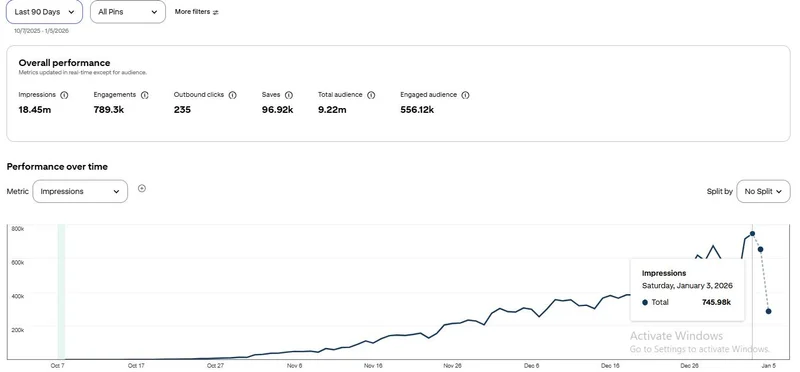
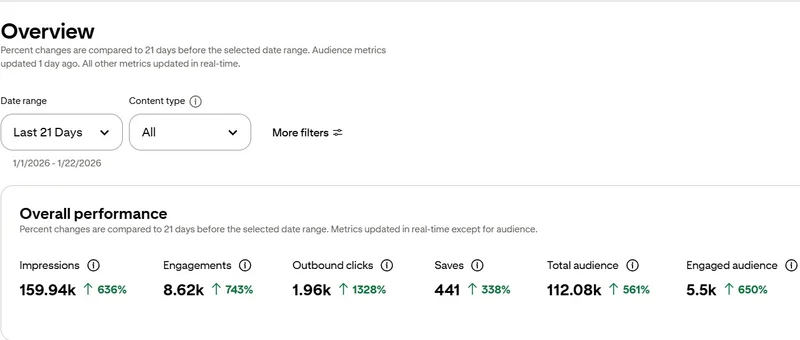
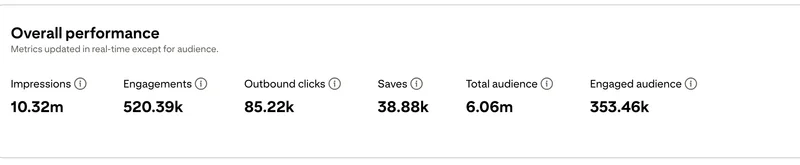
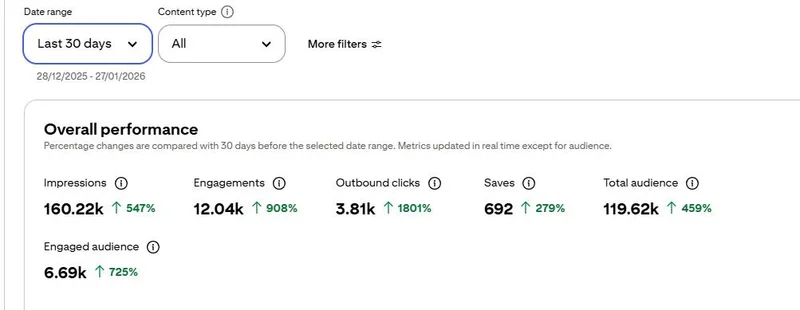
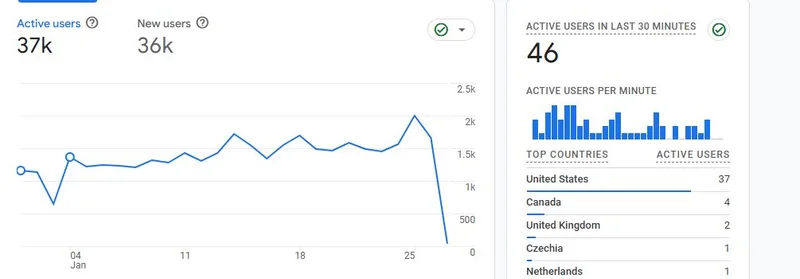
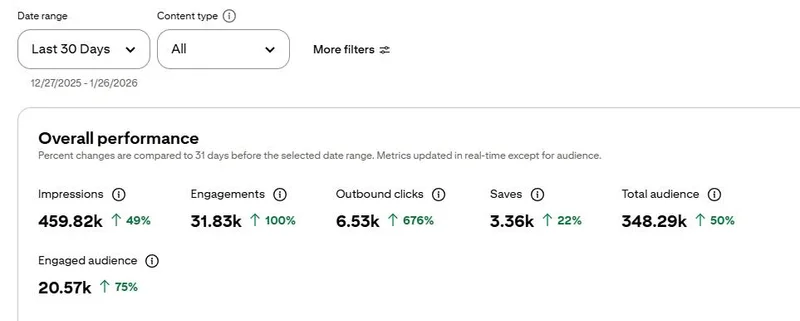
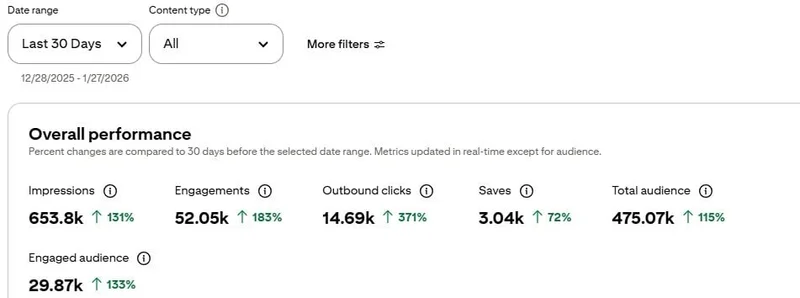
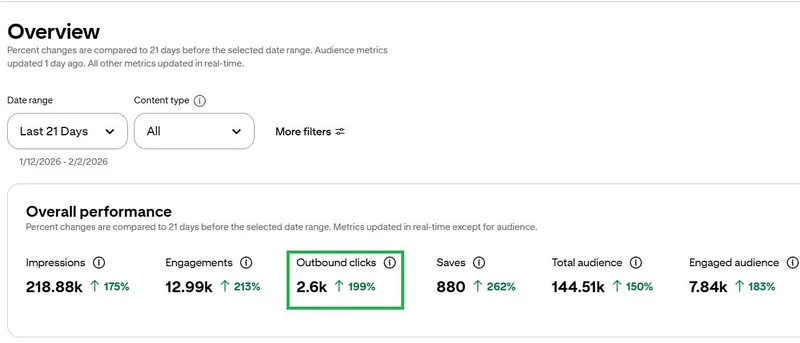
See how creators and entrepreneurs are planning their Pinterest strategy and growing their audience with Pintrio.
Get Started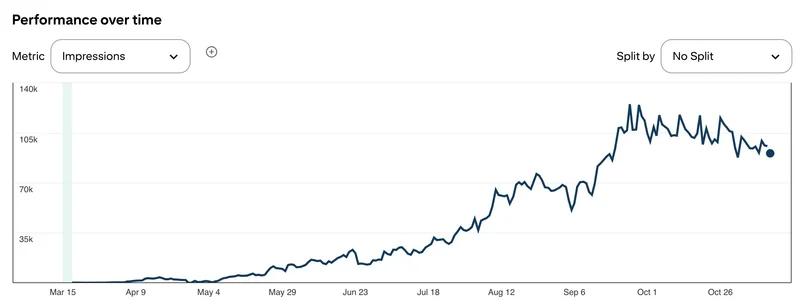
Choose the plan that fits your needs. Change or cancel at any time.
Try Pintrio on your own account. No card needed.
For growing businesses
Billed monthly
Choose Business7-day refund policyFor creators getting started
Billed monthly
Choose Basic7-day refund policyFor teams managing many accounts
Billed monthly
Choose Agency7-day refund policy